
Photo comparison, packages and more new features in SelectPhoto
Easier decisions between similar shots, packages with included photos, and clearer album settings. We have added packages requested by photographers, along with improvements to everyday work with photos.
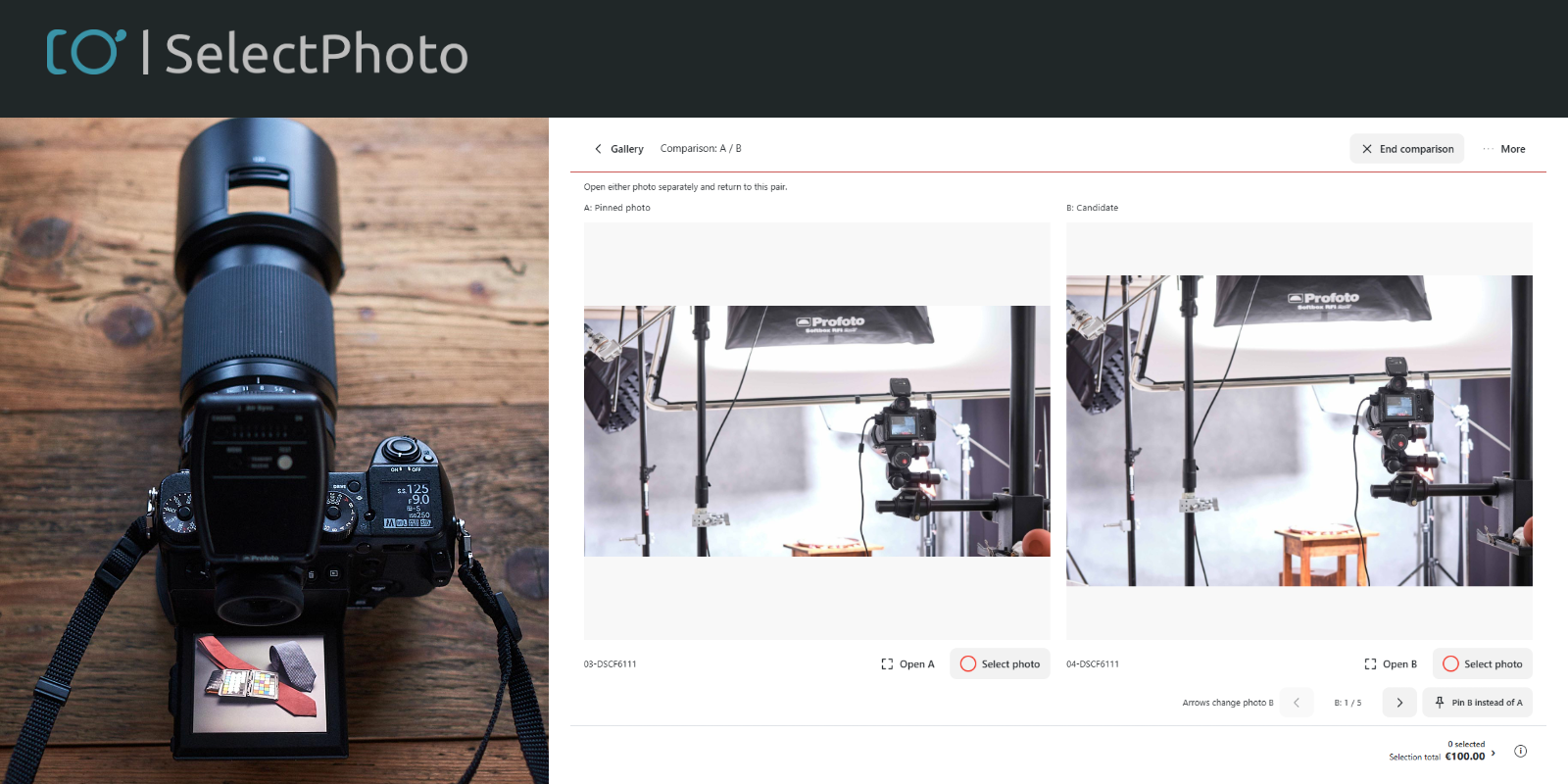
Two photos side by side
When a client is choosing between similar shots, they can now view them side by side. They mark two photos in the photo list and open the comparison view to inspect the details of both.
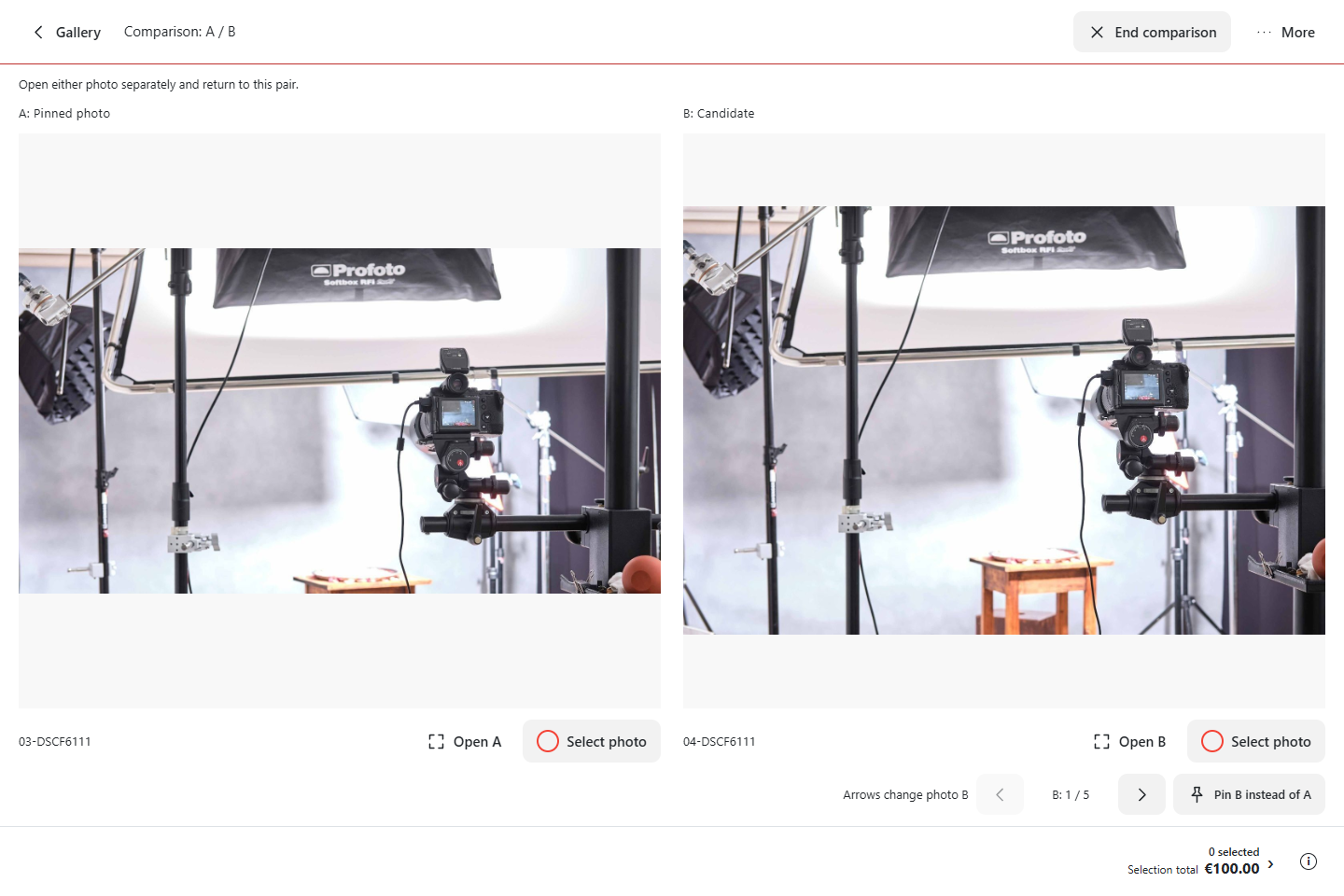
Comparison is available to photographers and clients, including those using the Free licence.
More comfortable viewing and selection
We have also updated the single-photo view. Clients find selection, print formats and notes grouped beside the image. They can keep the side panel open as they browse, zoom in, or start a slideshow. The album view follows the app’s light or dark appearance, and its controls adapt to smaller mobile screens.
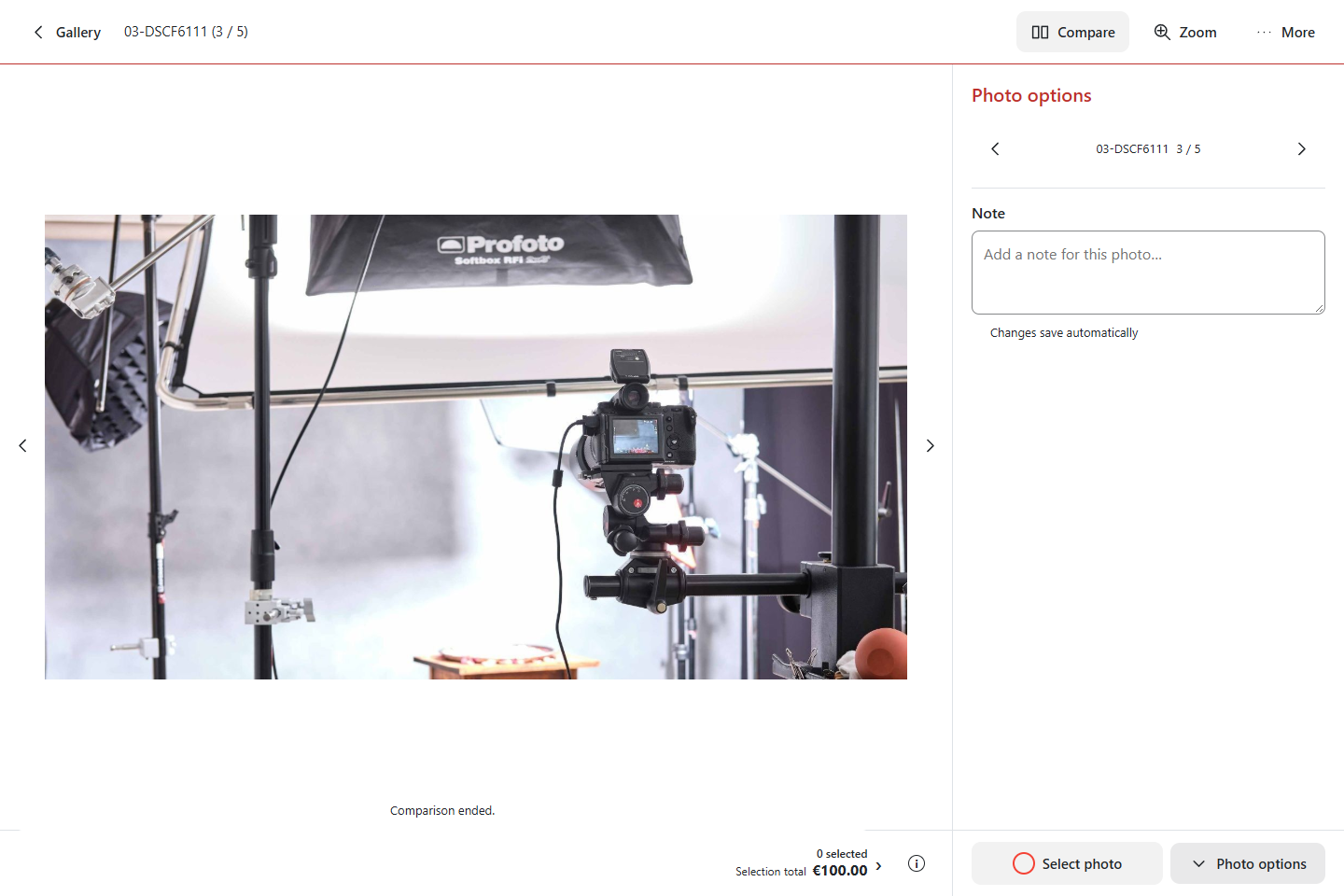
Photo notes are saved as you type, so clients do not need to look for a save button after each change.
Photo packages requested by photographers
Photographers have written to us asking for a set number of photos to be included in the price of a shoot, with charges applying only to additional images. Photo packages now let you set up exactly that.
For example, include 10 digital photos and charge €6 for each extra photo. As clients make their selection, they can see their allowance and any extra charge. Packages can also include prints in different formats. You can allow additional items for a fee or set a fixed limit.
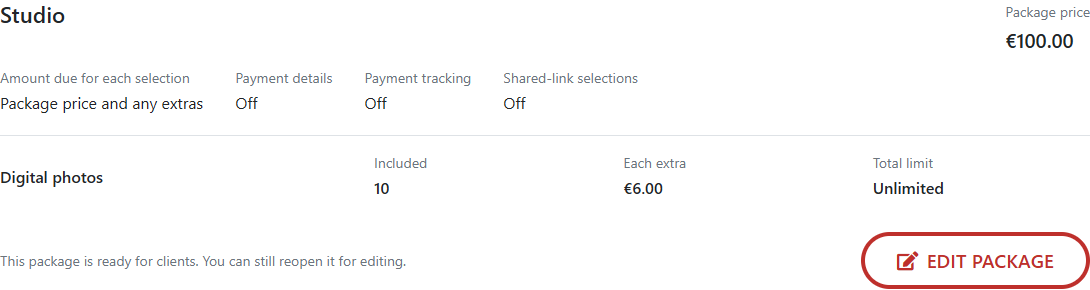
Save packages you use regularly under Settings → Price list, packages and prints. Choose one in an album and adjust its copy for that particular job. Prepare prices before inviting clients, under Prices, packages and prints. Once a client opens the album, or selections or payments are recorded, package prices and included quantities are locked.
If the shoot has already been paid for, you can calculate only the cost of extra photos and prints. Packages are available to photographers with a paid licence. You can also continue using the existing individual photo and print price list.
Payment details with the submitted selection
A package can show clients the amount due and your bank details after they submit their selection. Payment details ready at submission are also included in the confirmation email. If they await your approval, the client receives them in another email once you approve them. A payment QR code is shown for supported accounts and currencies.
Clients pay by transfer directly to your account. SelectPhoto does not process these payments. Set up your account under Settings → Bank accounts. Adding or changing bank details requires two-factor authentication. You can also record deposits and payments against individual selections if you wish. Payment tracking is optional; you can display bank details and the amount due without it.
Your branding in galleries and emails
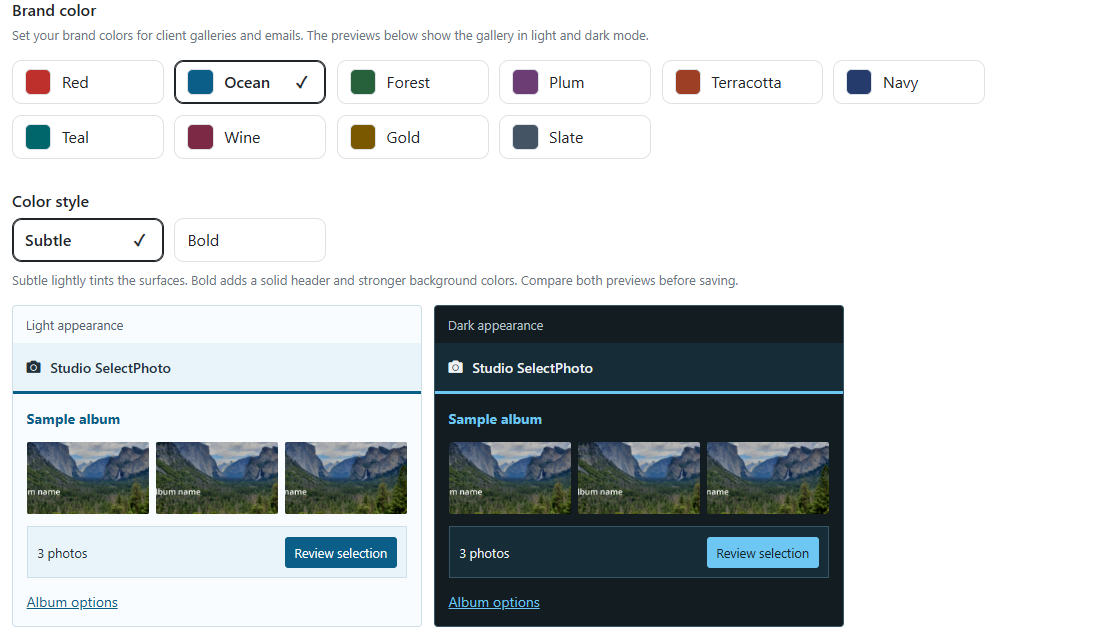
Alongside your logo, you can now choose a colour palette for albums and client emails under Settings → Appearance and branding. Palettes work with light and dark appearance in Subtle and Bold variants. The setting applies to your whole account. The same section includes previews of different emails, such as album invitations and selection submission confirmations.
A clearer Studio and album settings
Album settings and account settings are now divided into separate sections. The album overview gives you access to photos, prices, clients and deadlines. When creating an album, the next steps guide you from uploading photos through pricing to inviting clients.
Studio now has pagination and search suggestions for albums. On mobile, open filters using the button on the right. Under My clients, you can also export client email addresses from albums or from your client directory.
What else would help you?
We are continuing to improve SelectPhoto, with more updates to come. Thank you for the suggestions you send us. Is there something else you would like to see? Write to support@select.photo.